How to Choose the Best Desktop Computer for Your Needs in 2025
In the age of evolving technology, selecting the right desktop computer is crucial for optimizing your daily tasks—whether for work, gaming, or creative applications. With diverse options available, understanding what makes each desktop PC unique can significantly influence your productivity and enjoyment. Here’s an in-depth guide to help you navigate your choices for a desktop computer in 2025.
Types of Desktop Computers
1. All-in-One Desktops: Perfect for those who appreciate a clean aesthetic, all-in-one desktops combine the monitor and computer into a single unit. This design is ideal for home desktop use, allowing you to save space while enjoying efficient performance.
2. Gaming Desktops: If you’re a serious gamer, investing in a gaming desktop is essential. These machines feature powerful processors (such as Intel Core or AMD Ryzen) and high-end graphics cards (GPUs) capable of handling graphically intensive games at high monitor resolutions, ensuring a smooth and immersive gaming experience.
3. Business Desktops: Tailored for productivity, business desktops focus on reliability and efficiency. They come equipped with essential applications that enhance workflow in office environments, perfect for professional tasks such as presentations and data analysis.
4. Mini PCs: Compact and versatile, mini PCs offer an excellent solution for individuals needing a powerful yet space-saving computer. They are suitable for educational purposes, casual browsing, or light gaming.
Essential Specifications to Consider
When selecting your desktop PC, certain specifications can dramatically enhance your experience:
– Processor (CPU): The CPU is arguably the most vital component. Opt for high-performance processors, such as Intel Core or AMD Ryzen, depending on your performance needs. Gamers and creative professionals will benefit from higher end CPUs that excel under pressure.
– RAM and Storage: Adequate RAM is critical for smooth multitasking. A minimum of 8GB is recommended for average users, while 16GB or more is ideal for gamers or those involved in graphic design. Additionally, understanding the SSD vs. HDD debate is key; SSDs provide faster access times and boot speeds, while HDDs offer larger storage capacities at a lower price point.
– Graphics Card (GPU): For users engaged in creative fields like video editing or graphic design, a dedicated graphics card is essential. It ensures that your work renders smoothly and efficiently, especially at high monitor resolutions.
Setting Up Your Workspace
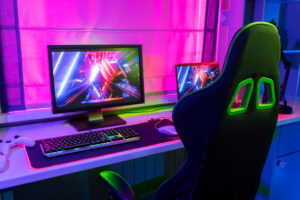
A dual monitor setup is a substantial productivity booster for those who require extensive workspace. It allows you to run multiple applications side by side, making it easier to manage tasks without constantly switching windows.
Additionally, consider the ports and connectivity of your chosen desktop. Look for sufficient USB ports, HDMI outputs, and network connections that enable seamless integration with your existing devices.
Selecting the Right Operating System
Choosing an operating system influences your overall user experience. Windows remains the most widespread, providing extensive software compatibility. In contrast, macOS is favored by many creative professionals for its suite of design applications, while Linux offers extensive customization options for tech enthusiasts.
Evaluating Budgets: Affordable vs. High-Performance Desktops
In 2025, you must evaluate budget vs. high-performance desktops based on your needs. If primarily using your desktop for web browsing, basic tasks, or educational purposes, an affordable desktop PC should suffice. However, if you intend to engage in gaming or demanding creative work, a high-performance desktop may be worth the investment.
Exploring Desktop Deals
Take full advantage of available desktop deals and discounts. Whether you’re interested in refurbished desktop computers or new machines, many retailers offer competitive prices that can help you save significantly. Utilize a desktop comparison chart to evaluate different models based on features and prices to make an informed choice.
Custom vs. Prebuilt Desktops
Deciding between a custom-built desktop and a prebuilt desktop involves weighing your technical expertise against convenience. Custom builds allow for finer control over specifications, appealing to enthusiasts who prefer building their own machines. Prebuilt desktops, however, cater to those who prefer an out-of-the-box solution with warranty coverage.
Important Desktop Accessories
To maximize your desktop experience, consider investing in essential desktop accessories. High-quality keyboards, ergonomic mice, and monitor stands can make a significant difference in comfort and usability, enhancing your overall workflow.
In summary, choosing the best desktop computer in 2025 requires understanding your specific needs and preferences. With various options tailored to different tasks, this guide helps you navigate the desktop market confidently, ensuring you find the ideal machine that effectively supports your personal and professional endeavors. Whether you decide to buy desktop online or choose a local retailer, doing sufficient research will lead to an excellent computing experience.