In today’s fast-paced digital world, computers and accessories have become essential tools for work, education, entertainment, and gaming. Whether you’re a student, professional, content creator, or gamer, having the right setup can significantly boost your productivity and experience. This comprehensive guide covers everything you need to know about choosing the best computers and accessories in 2025.
Choosing the Right Computer for Your Needs
1. Desktop vs. Laptop: Which One Is Right for You?
- Desktops offer higher performance, upgradability, and better cooling.
- Laptops provide portability, lightweight design, and power efficiency.
Tip: If you’re always on the move, go for a high-performance laptop. For gaming or heavy tasks, desktops are ideal.
2. Key Specs to Consider
When buying a computer, pay close attention to these specs:
- Processor (CPU): Look for Intel i7/i9 or AMD Ryzen 7/9 for performance tasks.
- RAM: Minimum of 8GB for everyday use; 16GB+ for gaming or design work.
- Storage: SSDs are faster and more reliable than HDDs. Go for at least 512GB SSD.
- Graphics Card (GPU): Essential for gamers, video editors, and designers.
Top Computer Accessories to Enhance Performance
1. Monitors
A high-quality monitor improves visuals and reduces eye strain. Look for:
- 4K or QHD resolution
- IPS panels for better color accuracy
- High refresh rates (144Hz+) for gaming
2. Keyboards and Mice
- Mechanical keyboards offer better tactile feedback and durability.
- Ergonomic mice prevent wrist strain and improve comfort.
Popular Brands: Logitech, Razer, Corsair, and SteelSeries
3. Headsets and Speakers
For remote work, calls, or gaming:
- Noise-cancelling headsets enhance communication.
- Bluetooth speakers provide wireless convenience and quality sound.
Essential Accessories for Productivity and Comfort
1. External Storage and USB Hubs
- External SSDs/HDDs for backup and extra space
- USB-C hubs expand connectivity for laptops with limited ports
2. Webcam and Microphone
- 1080p HD webcams are great for video calls and streaming.
- Standalone microphones offer better audio quality than built-in mics.
3. Laptop Stands and Cooling Pads
- Ergonomic laptop stands improve posture.
- Cooling pads prevent overheating during long sessions.
How to Set Up a High-Performance Workstation
To maximize efficiency and comfort, consider:
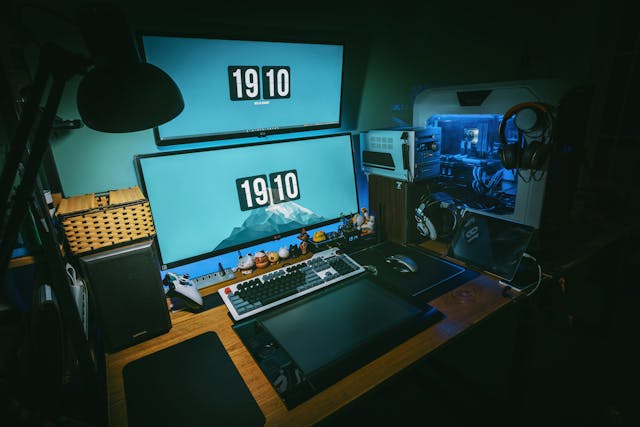
- Dual-monitor setup for multitasking
- Cable management to keep your desk tidy
- Adjustable chair and desk for ergonomic support
Investing in the right computers and accessories is key to unlocking your full potential in 2025. From choosing a powerful PC to selecting the best peripherals, every element plays a crucial role in your overall experience. Whether you’re gaming, working remotely, or studying, building a reliable and efficient setup will elevate your productivity and enjoyment.